What Is MCP? An Explanation for People Who Don’t Care About Protocols
MCP gives AI applications a standard way to discover and use capabilities in other software. Here's what it is, how it differs from an API, why security matters and why it matters for AI agents.
 Aditya Kadam
Garchi CMS
Aditya Kadam
Garchi CMS
Picture a developer typing this into an AI coding assistant:
"Look at issue #142, find where the bug is happening, fix it and prepare a pull request."
Today this is exactly the sort of job AI tools are being connected to GitHub to do. GitHub's own official MCP server describes giving AI agents the ability to read repositories and code, and to manage issues and pull requests.
The impressive part isn't only whether the AI understands the code. Before it writes a single line of the fix, it has to reach the issue, read files in the repository, find out which actions GitHub makes available, know what information each action needs, carry out the right one and report back on what happened.
Understanding code happens inside the model. Everything else happens outside it. So how does an AI actually connect to all those external capabilities?
There is more than one way to wire this up, and AI tools don't all do it the same way. But one approach has become widely used, and it has a name: the Model Context Protocol, or MCP.
What is MCP? The technical answer
Model Context Protocol (MCP) is an open standard for connecting AI applications to external tools, data sources and systems through a common client-server protocol.
Anthropic introduced MCP in November 2024, and in December 2025 donated it to the Agentic AI Foundation, a fund run under the Linux Foundation. A handful of terms come up constantly:
- MCP client: the connector inside an AI application, such as a chat assistant or code editor, that talks to an MCP server. Strictly speaking, the specification calls the application the host, and the host creates one client per server.
- MCP server: a program that exposes capabilities from a system such as GitHub, a database or a CMS.
- Tools: actions the AI can invoke, such as creating an issue or running a query.
- Resources: information the AI can read for context, such as file contents or database records.
- Prompts: reusable templates that help structure how the model approaches a task.
Underneath, clients and servers exchange JSON-RPC messages, and a client can ask a server to list its tools before calling any of them.
Now forget that definition for a moment
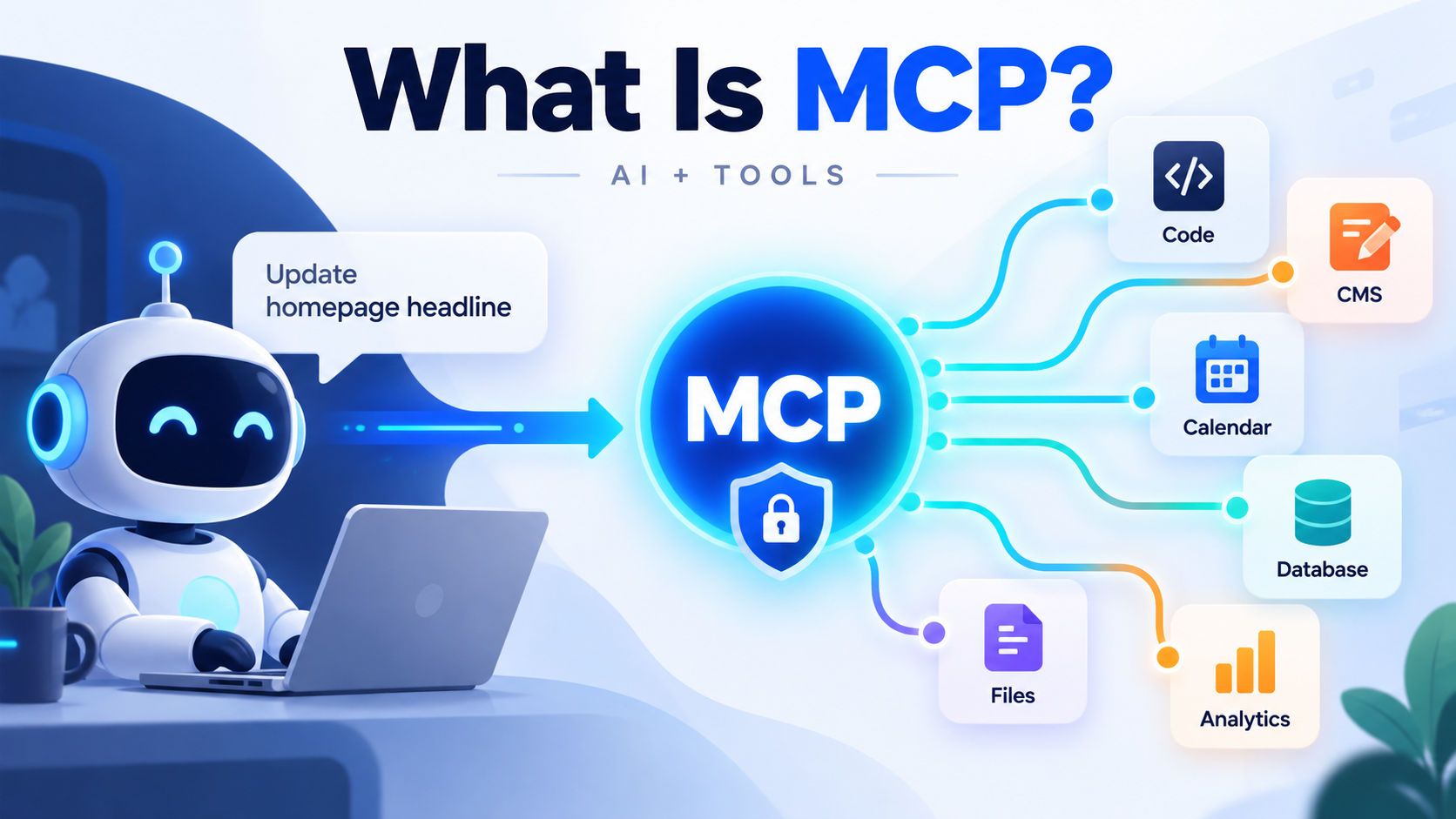
Here is the simpler version. MCP gives an AI application a standard way to ask another piece of software three questions:
- What can you do?
- What information can you give me?
- How do I ask you to do something?
The software answers in a format every MCP-compatible AI application understands. Each capability comes with a short description and a list of the inputs it needs. The AI reads those descriptions, picks what fits the task and makes the request.
That is the heart of it. MCP is a common interface through which AI applications discover and use capabilities that live in other software.
One example from start to finish
Say you type: "Create an issue saying the checkout button isn't working."
User
  ↓
AI Assistant
  ↓
MCP Client
  ↓
GitHub MCP Server
  ↓
GitHub
The GitHub MCP server might expose a tool that, conceptually, looks like create_issue, with inputs such as the repository, a title and a description. Real servers name and group their tools in their own ways, but the shape is the same.
- You express an intent in plain language.
- The AI works out that this needs an action, not just an answer.
- It checks the tools available through its MCP connections and finds one for creating issues.
- It supplies the inputs: the repository, a clear title and a useful description.
- GitHub creates the issue.
- The result, such as a link to the new issue, comes back to the AI, which tells you it's done.
You expressed an intention. The AI selected a capability. MCP provided the common language between the AI application and the external system.
So... isn't MCP just an API?
No, but MCP often uses APIs underneath.
An API (application programming interface) is how software exposes what it can do so that other software can use it. APIs are mainly designed for developers, who read the documentation and write code against them. GitHub's REST API, for instance, creates an issue when you send a request to POST /repos/{owner}/{repo}/issues.
To use that endpoint well, a developer needs to understand authentication, endpoints, parameters, responses, errors and permissions. Every API handles those things a little differently.
MCP works at a different level. It standardises how AI applications discover and use capabilities, so the AI application doesn't need a bespoke integration for every product.
APIs expose software capabilities. MCP provides a standard AI-facing way to describe, discover and invoke those capabilities.
MCP doesn't replace APIs. An MCP server is often a thin layer on top of an existing one, and the MCP documentation lists API calls among the typical things a tool does.
AI Assistant
  ↓
MCP
  ↓
Existing API
  ↓
Application
The API still does the real work. MCP presents that work in a form an AI application knows how to find and use.
Why standardisation matters
Imagine ten AI applications that each want to connect to twenty software products. Without a shared convention, every pairing needs its own answers to the same questions: how tools are discovered, what inputs look like, how authentication works, how permissions are granted, what outputs come back and what context is passed along.
When Anthropic announced MCP, it pointed to this problem directly: each new data source needed its own custom implementation, which made connected systems hard to scale.
MCP doesn't eliminate integration work. Someone still has to build a good server, handle authentication properly and decide which capabilities to expose. What it does is give both sides a common contract. A software company can build one MCP server that any compatible AI application can use, and an AI application can support MCP once and connect to many servers.
A better picture than the usual USB comparison: MCP is like agreeing on the language spoken at the doorway. The rooms behind each doorway can still be completely different.
GitHub, a CMS, a CRM and a database work nothing alike internally. Through MCP, each can still present its capabilities in the same recognisable pattern. That shared pattern helps explain how quickly MCP spread. A year after launch, Anthropic reported that it had been adopted by ChatGPT, Cursor, Gemini, Microsoft Copilot and Visual Studio Code, among others.
A second example: MCP in a content management system
GitHub is a developer's example. Here is one closer to marketing. A marketer asks their AI assistant:
"Update our homepage headline to 'Software built around your business' and save it as a draft."
We build Garchi CMS, a headless CMS with its own MCP server, so it makes a convenient illustration. Garchi's server exposes content tools such as list-pages-tool to find pages, get-page-tool to read a page's sections and current content, upsert-section-content-tool to change a section's content, and update-page-tool to change page details like the title and meta description.
User
  ↓
AI Assistant
  ↓
MCP
  ↓
Garchi CMS
  ↓
Website content
The AI finds the homepage, reads it to locate the section that holds the headline and updates that one field. In Garchi, a content change made this way is saved as a draft, and a person publishes it from the dashboard.
What the AI doesn't need to do is just as telling. It doesn't need to understand database tables, edit frontend source code, know which React, Vue or Laravel file contains the headline, or redeploy the website. It only needs to know that a content-management capability exists and how to use it.
Why security matters in MCP
Once an AI moves from reading information to taking action, the risk changes. Compare three requests:
- Reading: "Show me the page."
- Writing: "Update this page."
- Consequential action: "Delete this page."
If the first goes wrong, you see the wrong page. If the second goes wrong, your website says something it shouldn't. If the third goes wrong, you may lose work you can't get back. Any system that lets AI act needs good answers to three questions.
Who are you?
This is authentication. The MCP server needs to know which user or application is making the request. For servers reached over HTTP, the MCP specification defines an optional authorisation framework built on OAuth 2.1, part of the same family of standards many websites use to give apps limited access to your account.
What are you allowed to do?
This is authorisation. Being signed in shouldn't mean being allowed to do everything. The same specification tells clients to follow the principle of least privilege and request only the permissions they need. Servers can add their own limits too. GitHub's MCP server, for example, can run in a read-only mode that offers only tools which can't modify repositories, issues or pull requests.
Should this action happen automatically?
Even an authorised action may deserve a pause. The MCP specification says there should always be a human in the loop who can deny tool invocations, and recommends that applications show clearly when tools are used and ask users to confirm operations.
The problem of prompt injection
There is a less obvious risk as well. For an AI model, text can be both data and something that reads like an instruction.
Imagine an agent asked to look through open issues in a public repository. One issue, written by a stranger, tells the AI to copy information from the user's private repositories somewhere public. A person would spot the trick. A model may not. In May 2025, researchers at Invariant Labs demonstrated this kind of attack against the GitHub MCP integration. They noted that the MCP tools themselves didn't need to be compromised; exposing the agent to untrusted content was enough.
OWASP lists prompt injection as the first entry in its 2025 Top 10 for LLM applications, including indirect attacks hidden in websites and files that a model processes.
This is why sensible MCP setups rely on several layers of protection:
- connecting only to MCP servers you trust
- scoping permissions to what each connection needs
- least-privilege access, so a manipulated agent inherits as little power as possible
- separate read and write permissions
- confirmation before consequential actions
- treating content the AI reads, such as issues, emails and web pages, as untrusted
OWASP's guidance on excessive agency makes the same case: limit what tools can do, limit their permissions and require a human to approve high-impact actions.
MCP provides a standard interface, but secure implementation still depends on authentication, permissions, server trust, application design and user controls.
From chatbot to agent
Earlier AI interaction
User → AI → Answer
The model mainly generated responses.
Tool-using AI
User → AI → Tool → Result
Models could call on external capabilities. OpenAI's function calling, launched in June 2023, let developers describe functions that a model could ask the application to run.
Agentic workflows
User
  ↓
AI Agent
  ↓
Plan
  ↓
Use Tool A
  ↓
Evaluate Result
  ↓
Use Tool B
  ↓
Use Tool C
  ↓
Complete Task
The important change is that AI systems increasingly need to inspect their environment, discover the tools available, choose the right one, perform an action, observe the result and decide what to do next, sometimes many times for a single request.
That loop is where MCP becomes strategically important. An agent working through a multi-step task needs a dependable way to find and use tools at every step.
MCP and the agentic era
It is tempting to say MCP created AI agents. It didn't.
AI agents existed before MCP. Research such as ReAct, first published in 2022, showed language models alternating between reasoning and taking actions in external environments. Tool calling existed before MCP, and APIs existed long before either.
But agents become much more useful when they can connect to many external systems in a predictable way, and that part of the picture used to be fragmented.
MCP helped standardise one of the least glamorous but most important parts of agentic AI: how agents connect to the tools and systems around them.
A capable model without access to external systems can reason. A capable model with controlled access to external tools can act. And a capable agent with many well-defined tools can carry out multi-step workflows.
That is why protocols and interoperability suddenly matter. Competitors appear to agree: the foundation that now looks after MCP was launched with contributions from Anthropic, Block and OpenAI.
What MCP is not
MCP is not:
- an AI model
- an agent
- a database
- a CMS
- a replacement for every API
- automatic permission to access software
- a guarantee of security
It is a standard way for AI applications to connect to capabilities exposed by external software.
The protocol is not the point
Most people will never read the MCP specification, and they don't need to.
The important thing about MCP isn't the protocol. It's what happens when AI stops being something you only talk to and becomes something that can safely use the software around you.
This is also why we added MCP support to Garchi CMS: not because "MCP" is a feature worth ticking off a list, but because content systems increasingly need to be usable by both people and AI agents. If you're curious what that looks like in practice, you can explore how Garchi exposes content tools through MCP.
Enjoyed this article?
Get the next one in your inbox, with new Garchi features and practical ideas for running content operations with your team and AI agents. No spam, and you can unsubscribe at any time.